This Zoho CRM extension provides a streamlined and efficient solution for managing attachments directly within your CRM environment. Designed to enhance productivity and user experience, it enables seamless handling of files across multiple modules with intuitive download, delete, and preview capabilities. Whether working from List View or record Detail View, users benefit from a responsive and user-friendly interface optimized for both individual and bulk operations.
About this version
Fully compatible with Leads, Contacts, Accounts, and Deals modules for unified attachment management.
Works seamlessly in List View and individual record Detail View.
Designed with a responsive UI to ensure smooth usability across devices and screen sizes.
Features
Comprehensive Attachment Management – Supports all file types for download, deletion, and preview across Leads, Contacts, Accounts, and Deals modules.
Bulk and Individual Actions – Users can perform download and delete operations either individually or in bulk, enhancing efficiency and workflow.
Bulk ZIP Download – Multiple attachments can be downloaded together in a single ZIP file for convenience and faster processing.
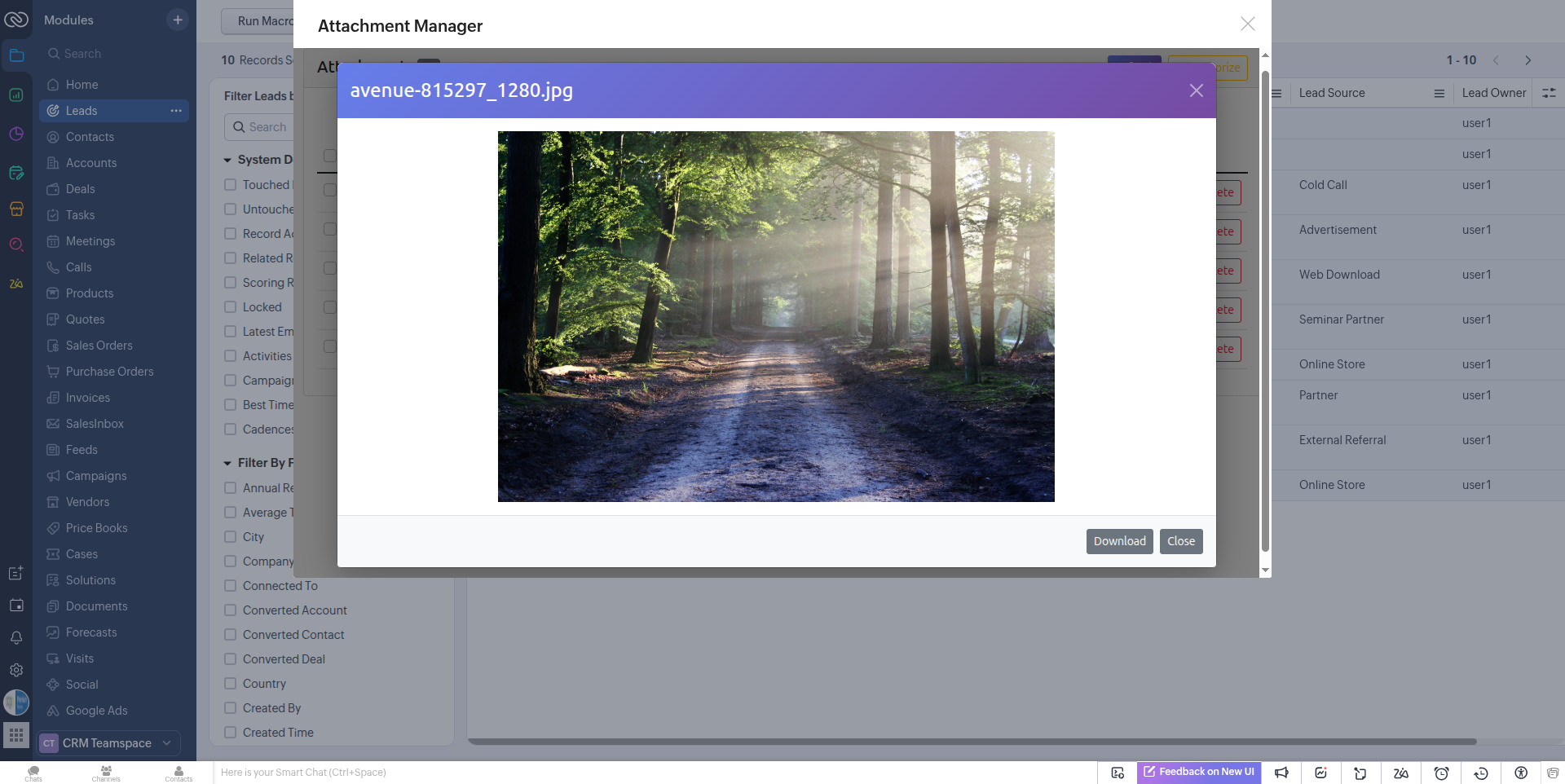
Attachment Preview – Quick preview functionality allows users to view attachments without downloading them, streamlining decision-making and record management.
Seamless Integration – Fully compatible with both List View and Detail View, providing a smooth and consistent user experience throughout the CRM.
Scopes
ZohoCRM.modules.ALL
ZohoCRM.modules.attachments.ALL
How to Install
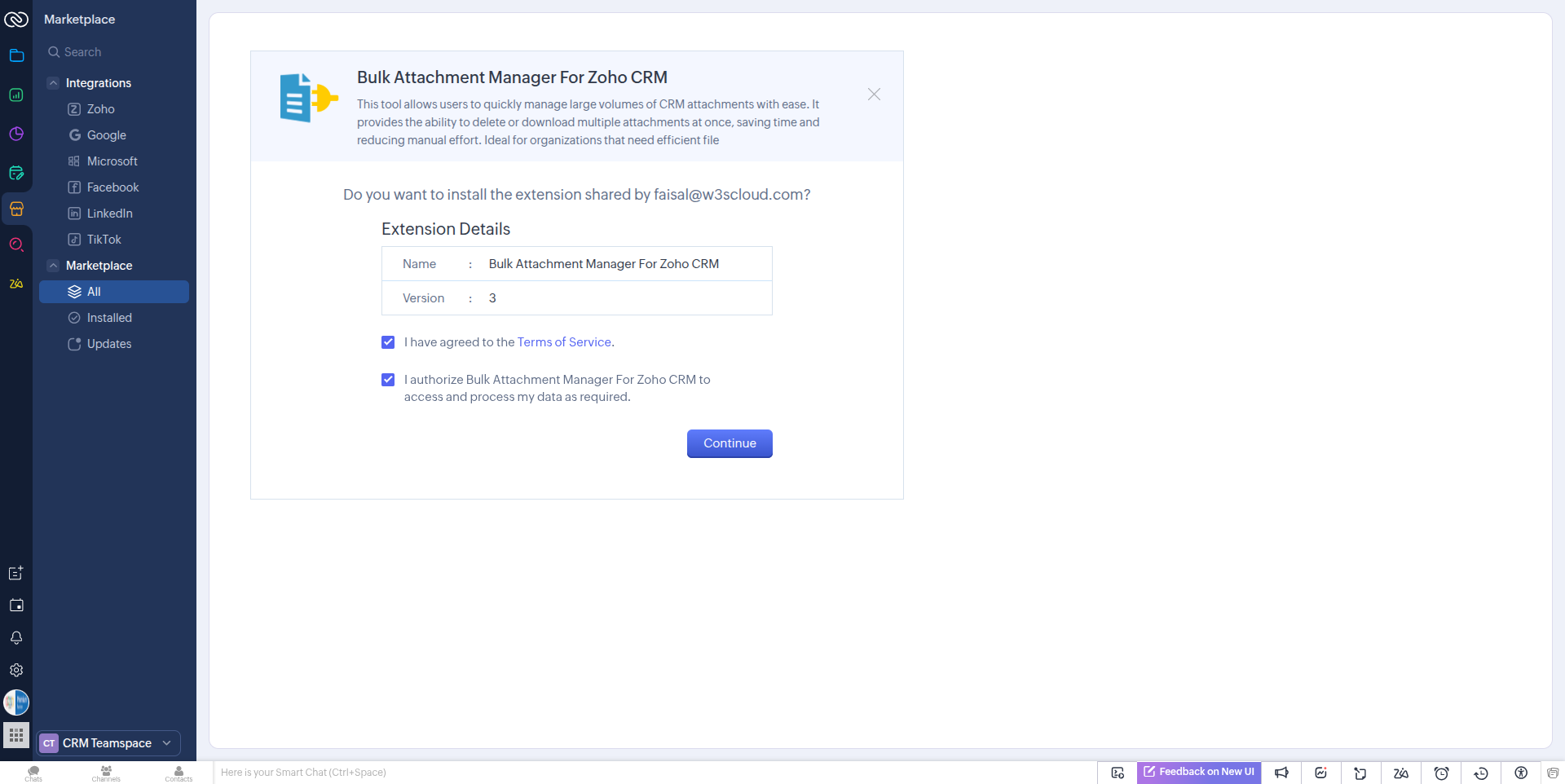
Agree to the terms and conditions, then click “Continue” button.
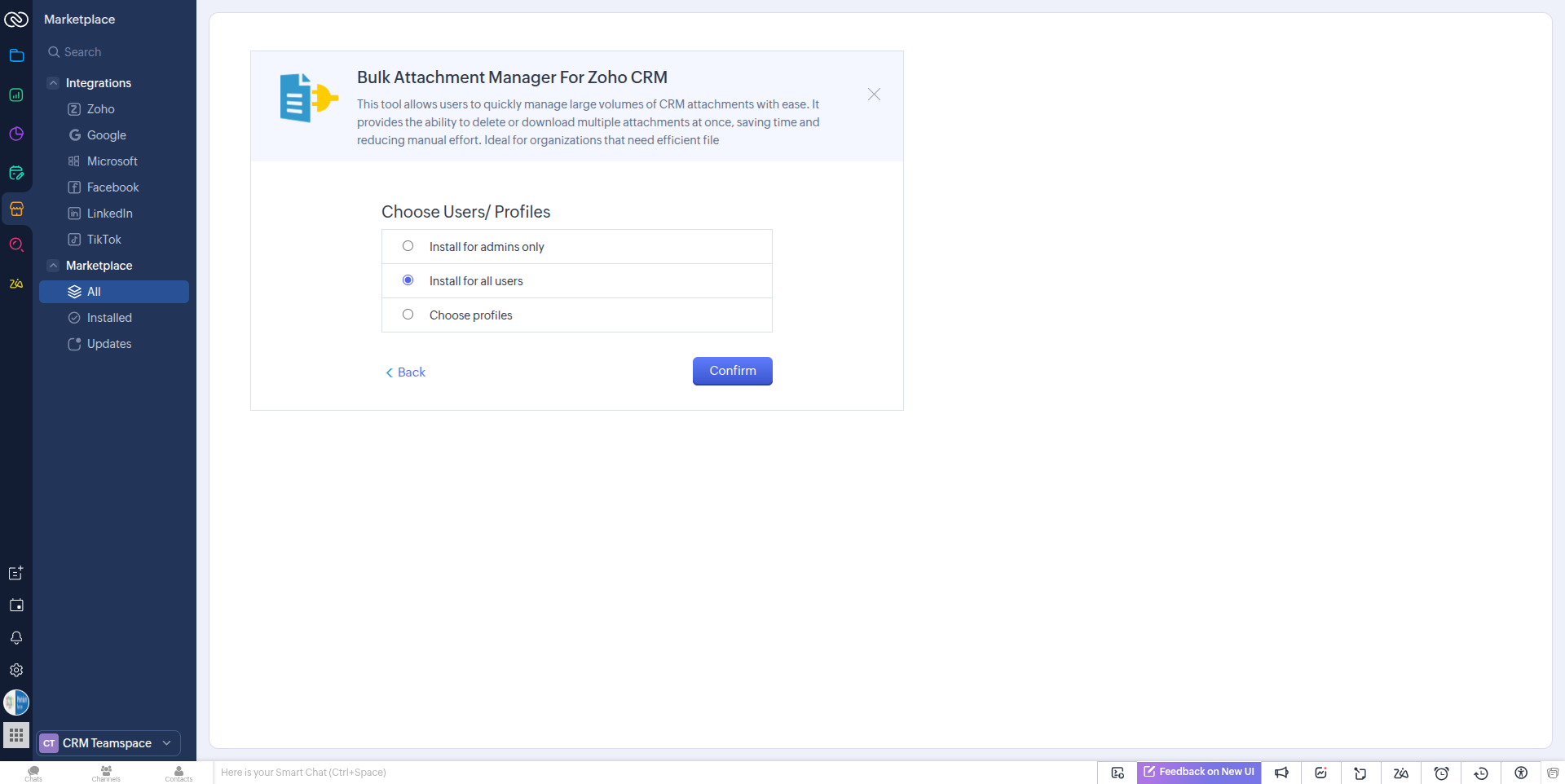
Now choose users/profiles and click on “Confirm” button.
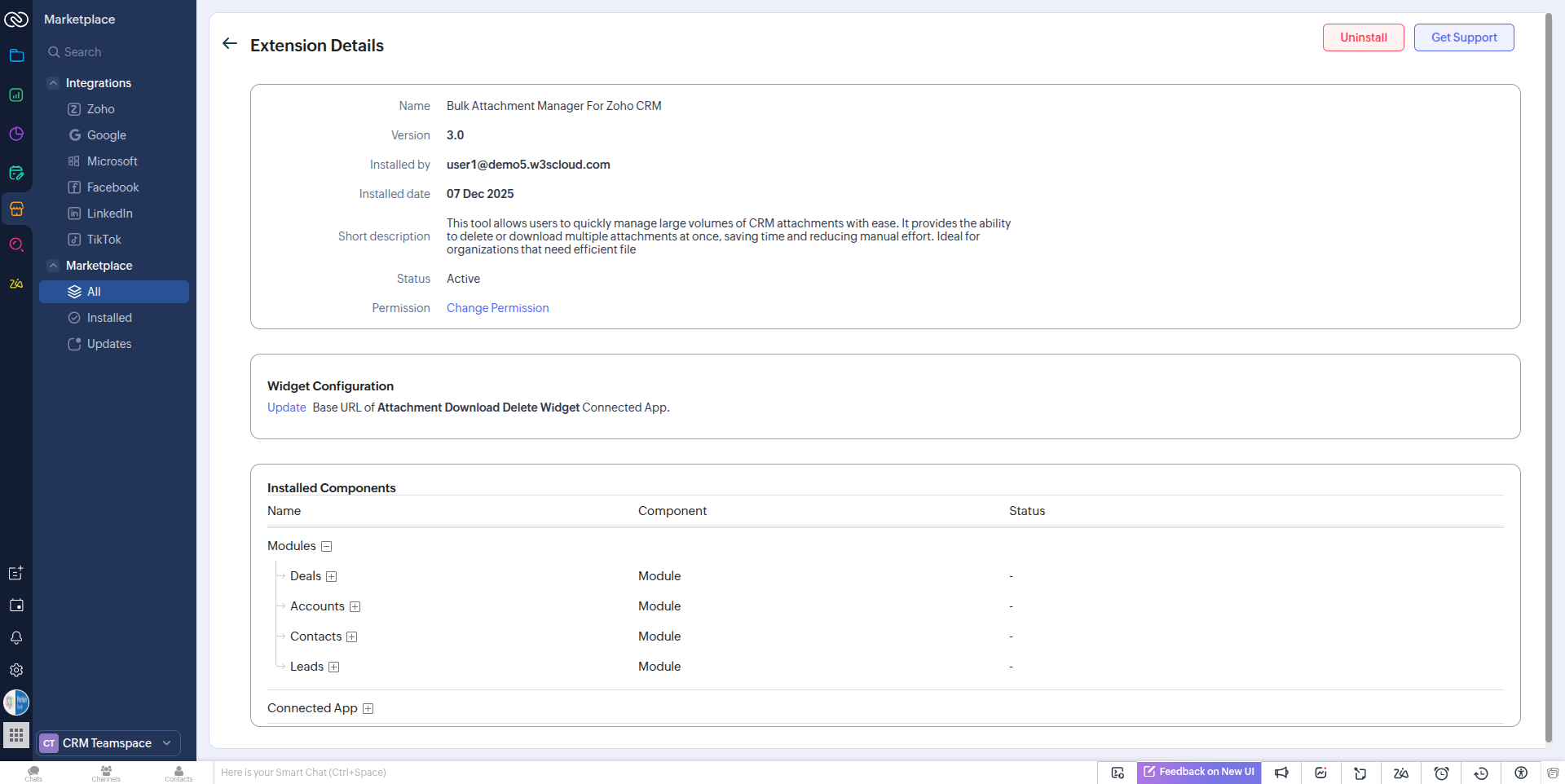
Installation is complete, and the extension details are now displayed. No additional configuration is required. You can now check the extension functions in the Leads, Contacts, Accounts, and Deals modules.
After installation, the extension is ready to use. Navigate to the modules — Leads, Contacts, Accounts, and Deals — and click the “Attachment Manager” button to access it.
How to use
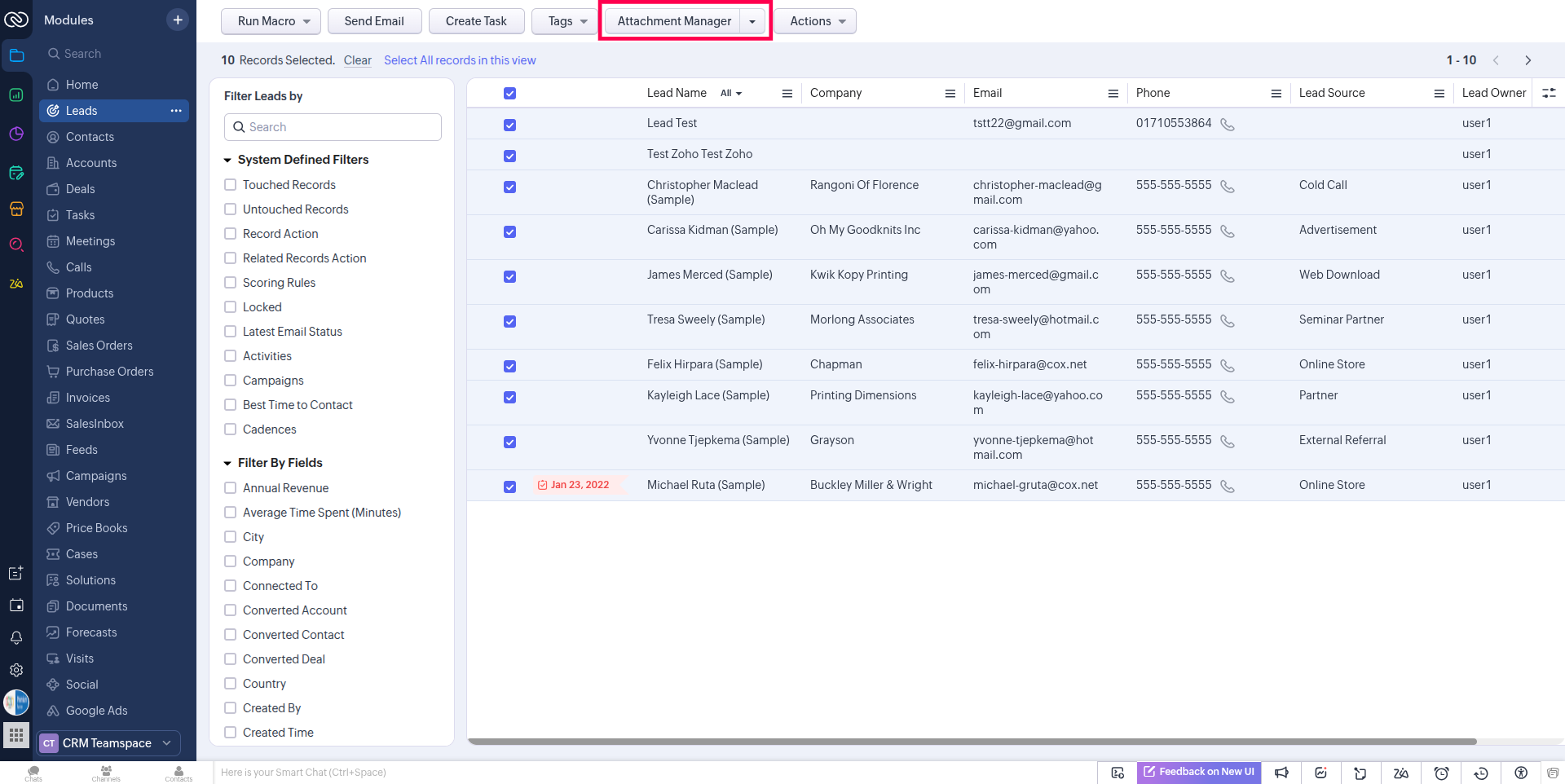
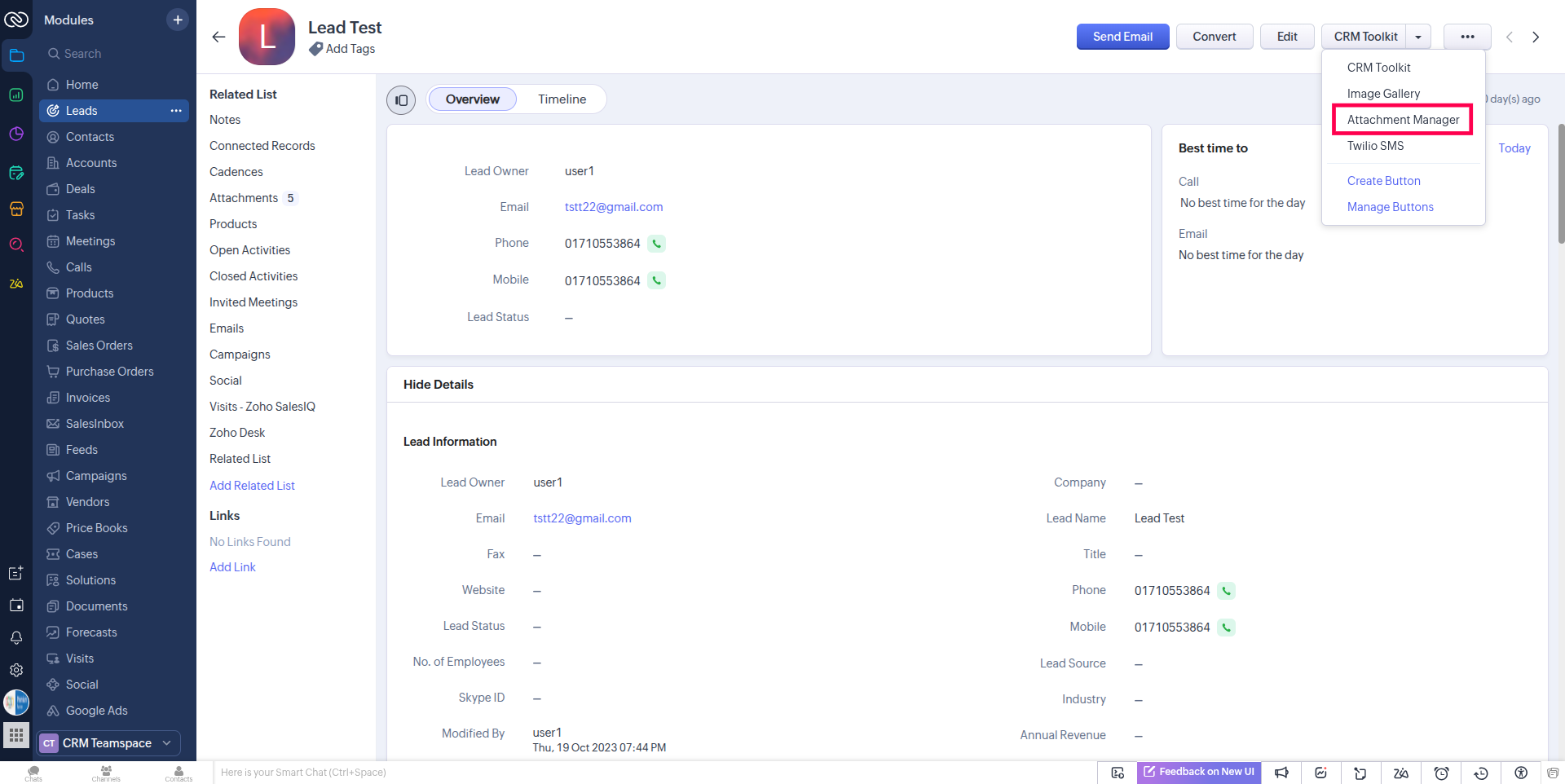
After successfully installing the extension go to the module and find the button named after “Attachment Manager” from Mass Action Button in List view or record Detail page.
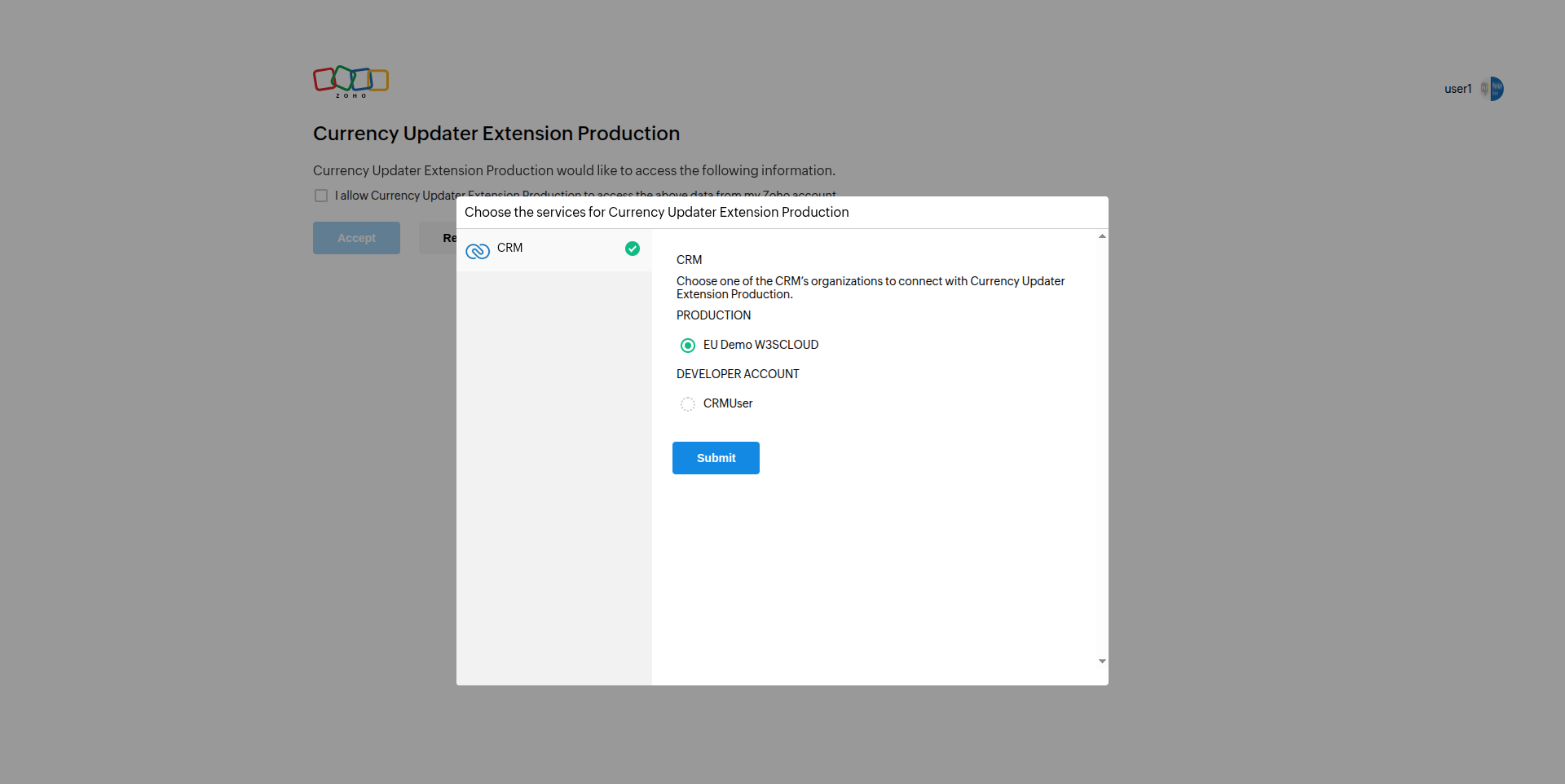
The first time you use the extension, you will be required to authorize it with your CRM. Once the authorization is completed, you won’t be prompted again in the future.
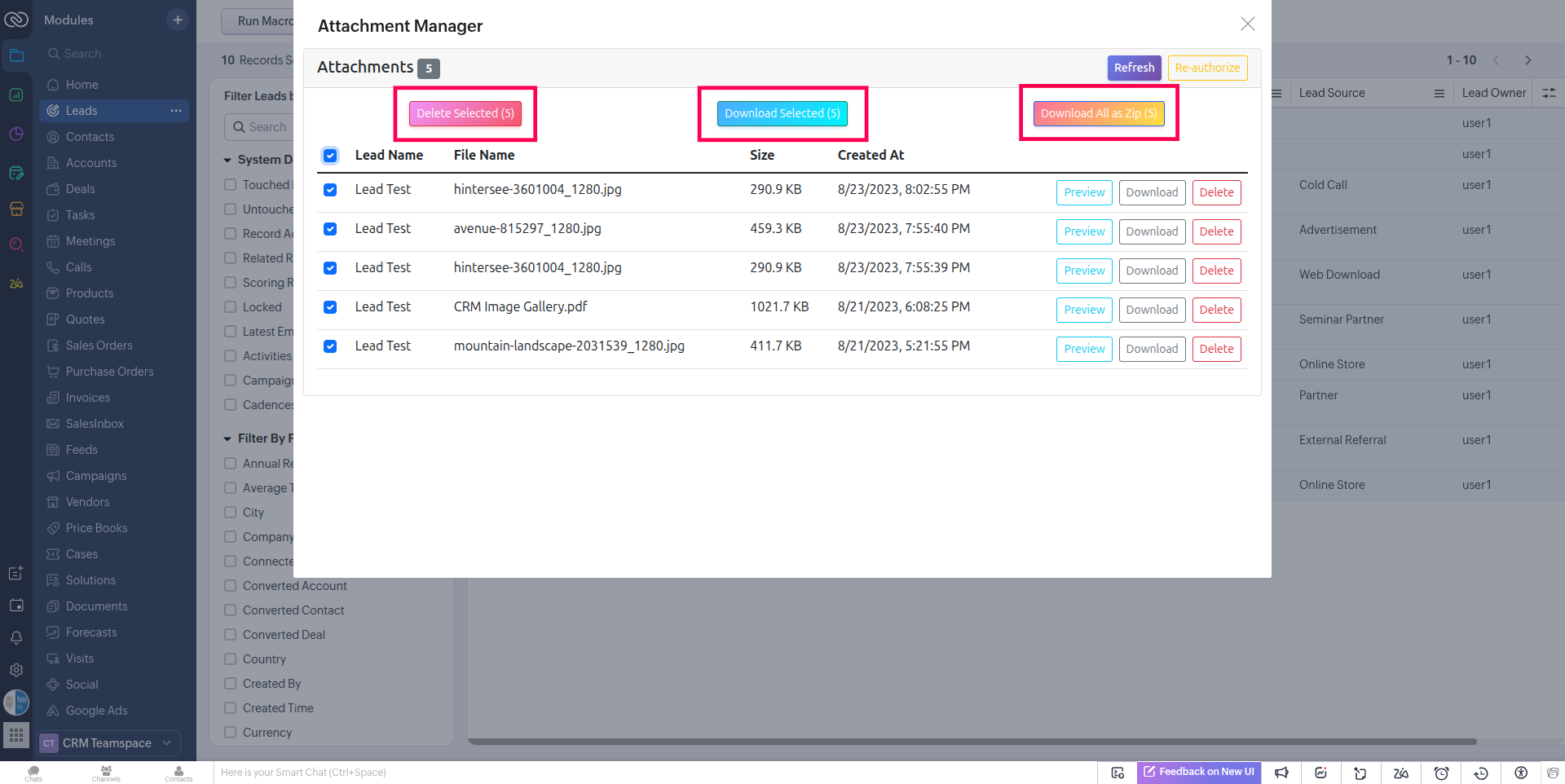
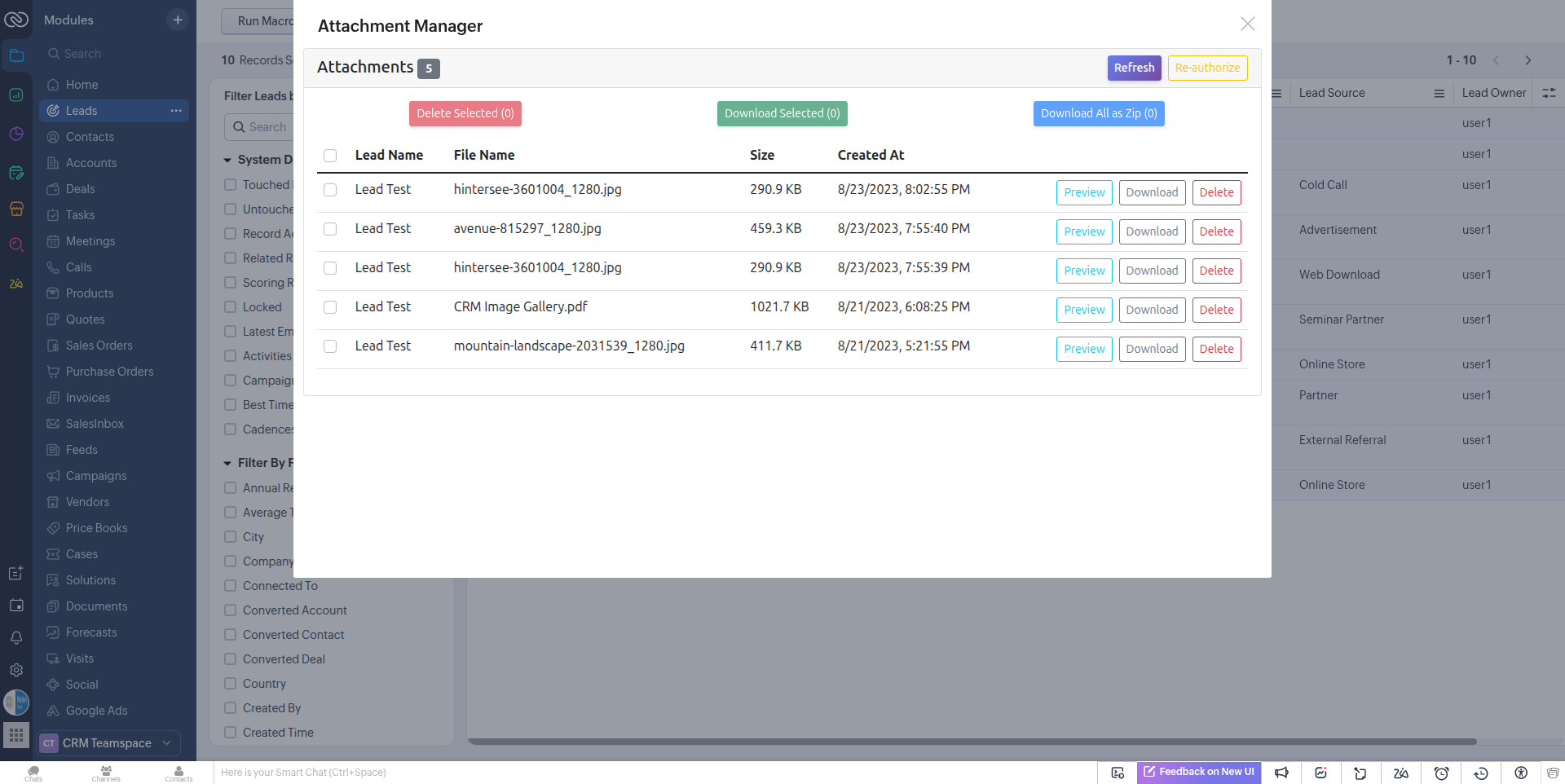
After completing the authorization, the extension will be ready to use. You can now download or delete attachments—individually or in bulk—from both the List View (via the mass action button) and the Detail View.
There is also a preview feature that allows you to view attachments before downloading or deleting them.